Online Voting Accessibility in Australia: What Organisations Should Consider
Friday, 25 September 2026, 10:45 am
Online Voting Accessibility in Australia: What Organisations Should Consider
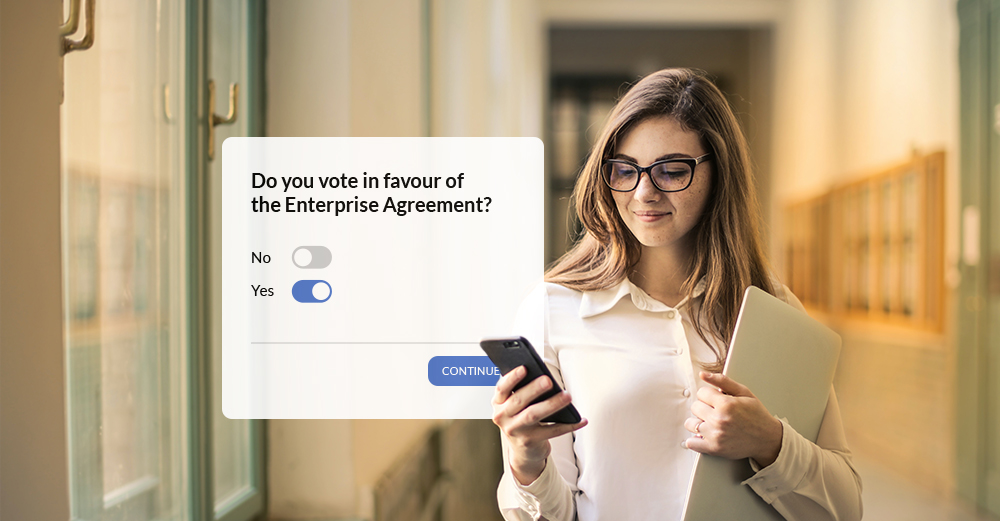
An online election can remove many of the physical barriers associated with traditional voting.
Members no longer need to travel to a meeting. Someone working remotely can vote from home. A shareholder can participate from another state. A committee member can cast a ballot using a phone rather than finding a printer, filling out paperwork and returning it before a deadline.
But putting a ballot online does not automatically make an election accessible.
A poorly designed online ballot can create new barriers of its own: small buttons, unclear instructions, inaccessible forms, difficult authentication, time limits, poor mobile layouts or an interface that does not work properly with assistive technology.
For organisations running AGMs, committee elections, member ballots or other governance votes, accessibility needs to be considered from the beginning.
The Australian Human Rights Commission’s current guidance on digital accessibility says organisations should provide equal access to digital goods and services and identifies the Web Content Accessibility Guidelines (WCAG) 2.2 as the current international benchmark for digital accessibility. The Commission’s guidance also explains that accessibility obligations under the Disability Discrimination Act 1992 can apply to digital goods and services.
For an election, the practical objective is straightforward:
An eligible voter should be able to understand the ballot, access it, complete it and submit it without unnecessary barriers.
That means accessibility is not just a website design issue. It is part of running a fair and well-managed election.
What does accessibility mean in an online election?
Accessibility means designing the voting process so people with different abilities, devices and ways of interacting with technology can participate.
That includes people who:
Accessibility also benefits people who do not identify as having a disability.
A large, clearly labelled button is easier to tap on a phone. Plain instructions help someone who is voting in a hurry. A simple ballot is easier to complete when an internet connection is slow.
Good accessibility tends to improve the voting experience for everyone.
The Australian Government’s Digital Inclusion Standard similarly frames accessibility around ensuring people can equitably access and use digital information and services, with a specific requirement to make digital services accessible.
Why accessibility matters for organisational elections
There is a practical governance reason to take accessibility seriously.
If a member is entitled to vote but cannot reasonably use the voting system, the organisation has a participation problem.
Imagine an incorporated association conducting its annual committee election online. Most members receive an email, click through on their phones and complete the ballot in a few minutes.
One member uses a screen reader.
Another has limited hand mobility and struggles with small controls.
A third member has difficulty following a long page of instructions.
If the voting system works well only for the majority, the organisation has not necessarily created an inclusive voting process.
The Australian Human Rights Commission’s 2025 guidance recommends that organisations design digital goods and services to provide equal access and says accessibility should be considered as part of meeting obligations under the Disability Discrimination Act.
That is why accessibility should be considered during election planning and procurement, not after voting opens.
Accessibility is more than making text bigger
A common misconception is that accessibility simply means using larger text and good colour contrast.
Those things matter, but they are only part of the picture.
For an online voting system, accessibility can involve:
WCAG 2.2 provides criteria covering these areas. For example, WCAG 2.2 includes requirements around visible keyboard focus, minimum target sizes and accessible authentication.
The important point for election organisers is that accessibility needs to be considered across the whole voting journey.
Start with the voter, not the software
Before choosing an online voting platform, think about who will actually use it.
An organisation may have members ranging from university students to retirees. Some may vote exclusively on phones. Others may use laptops with keyboards, tablets, screen readers or voice-control software.
The organisation does not necessarily need to know every individual’s disability or technology preference.
Instead, ask broader questions:
The Australian Government’s Digital Service Standard explicitly includes “Know your user” and “Leave no one behind” among its criteria for designing digital services.
Although those standards apply to Australian Government digital services rather than automatically to private organisations, they provide useful benchmarks for thinking about inclusive digital design.
Make the ballot work on mobile
For many organisational elections, the smartphone will be the most convenient voting device.
That makes mobile usability part of accessibility.
A voter should not have to pinch, zoom and scroll horizontally just to select a candidate.
A practical mobile voting experience should provide:
W3C’s guidance confirms that existing WCAG standards apply to mobile web content and addresses issues including touchscreens, small screens and different input methods.
Give voting controls enough space
Tiny radio buttons are a surprisingly common usability problem.
If a voter is selecting a candidate on a phone, the interaction should not depend on hitting a few pixels with precision.
WCAG 2.2’s Target Size (Minimum) criterion requires pointer targets to be at least 24 × 24 CSS pixels, subject to specified exceptions. Larger controls can be preferable where practical.
For an election, there is another reason to avoid cramped controls: an accidental selection is not merely a usability annoyance.
It can affect a person’s vote.
Write instructions as if the voter has never used the system
Election administrators often know the process so well that instructions become unnecessarily complicated.
A voter does not need to know how the ballot software works.
They need to know what to do next.
Instead of:
“Upon authentication, navigate to the relevant election module and utilise the radio-button interface to register your preference.”
Say:
“Select your preferred candidate, then select Next.”
Simple language reduces cognitive load and makes the process easier to navigate with assistive technology.
W3C’s form guidance recommends clear instructions, appropriate labels and useful feedback, including instructions that can be understood by people using screen readers.
Label every voting control clearly
A voter should be able to understand what each control does without relying solely on its visual position.
For example:
Candidate:
○ Alex Brown
○ Jordan Smith
○ Priya Patel
is much clearer than presenting a series of unlabelled buttons or images.
W3C recommends providing labels for form controls, including radio buttons, checkboxes and other input controls. Properly associated labels also help assistive technologies identify the controls.
Use headings and a logical structure
A ballot can become difficult to navigate when it contains a long list of candidates, resolutions or voting instructions.
Use meaningful headings and group related information.
For example:
Election information
Brief explanation of the election.
Candidates
Candidate information.
Voting instructions
What the voter needs to do.
Your selections
The actual voting controls.
Review and submit
Final confirmation.
This structure helps sighted voters scan the page and can also help people using screen readers navigate between sections.
The goal is not to make the ballot look sophisticated.
The goal is to make it predictable.
Think carefully about authentication
Security and accessibility sometimes pull in different directions.
A voting system may need to verify that the voter is authorised to participate. But an authentication process that requires a person to remember complicated credentials, solve a visual puzzle or manually retype a code can create unnecessary barriers.
WCAG 2.2 introduced Accessible Authentication (Minimum) at Level AA. The criterion addresses authentication processes that rely on cognitive function tests, with mechanisms or alternatives intended to reduce those barriers. W3C gives examples such as supporting password managers and allowing copy-and-paste rather than requiring users to retype information.
This is particularly relevant when an online election uses OTPs.
For example, if a voter receives a verification code by SMS or email, consider whether the system permits the code to be pasted rather than requiring manual transcription.
A secure process does not need to be unnecessarily difficult.
Clear error messages matter
Imagine a voter enters an incorrect member number and receives:
“Invalid input.”
That is not particularly helpful.
A better message might explain:
“We couldn’t match those details to an eligible voter. Check that your member number is entered correctly. If you still can’t access the ballot, contact the election support team.”
W3C recommends that error messages clearly identify the relevant control, explain the problem and provide information about how to correct it.
This is especially valuable for people using screen readers, voice input or other assistive technology.
It also reduces calls to the organisation’s administrator.
Everyone wins.
Give voters a clear confirmation step
Online voting is different from completing an ordinary web form.
A voter may be making an irreversible choice.
Before submission, consider giving the voter a clear opportunity to review their selections.
For example:
Your selections
Are you ready to submit your vote?
[Review vote] [Submit vote]
The exact design will depend on the election rules and ballot type, but the principle is straightforward: the voter should understand when they are making their final submission.
Clear feedback after submission matters too.
A voter should not be left wondering:
“Did my vote actually go through?”
W3C’s accessibility guidance recommends providing clear feedback when a form has been successfully submitted or when errors have occurred.
Don’t rely on colour alone
Colour can help users understand an interface, but it should not be the only way information is communicated.
For example, don’t indicate a selected candidate solely by changing the background from grey to green.
Use a visible selection indicator as well.
Likewise, an error should not be communicated solely through a red border.
Add text.
For example:
Mobile number — Error: Enter a valid Australian mobile number.
This approach is easier for people with colour-vision differences and provides useful information to assistive technologies when implemented correctly.
Keyboard accessibility is essential
Not everyone uses a mouse.
Some voters navigate using a keyboard, switch device, voice input or another assistive technology.
Every important part of the voting process should therefore be operable without requiring a mouse.
Test:
WCAG 2.2 includes a Level AA requirement for visible keyboard focus, while newer criteria address situations where focused elements can become obscured.
A sticky banner covering the Submit button while someone is navigating with a keyboard is a small design decision with a big practical consequence.
Assisted voting can be part of an inclusive process
Accessibility does not necessarily mean that every voter must independently complete every digital step.
Some people may need assistance.
The Australian Electoral Commission provides assisted voting arrangements at polling places, including allowing a voter to ask someone they nominate to assist them, with polling staff also trained to provide assistance. The AEC also provides different accessible voting options and formats for people with disability.
Organisational elections are different from federal elections, and AEC procedures do not automatically apply to private organisations.
But the broader principle is useful:
An accessible election should have a plan for voters who cannot use the standard pathway independently.
For an online ballot, that might mean:
Any assisted voting arrangement should preserve the election’s rules, including voter eligibility, ballot secrecy and the voter’s own voting intention.
Be careful with “assisted” voting
There is a difference between helping someone access a ballot and making their voting decision for them.
For example, technical support might help a voter:
That does not mean support staff should decide which candidate or resolution the voter selects.
If assistance with making or recording a vote is permitted under the relevant rules, the process should be designed to protect the voter’s autonomy and confidentiality.
The organisation should establish these arrangements before voting starts.
Provide more than one way to get help
A single support channel can create another barrier.
For example, if the only support option is a telephone number, a voter with a hearing or speech disability may have difficulty using it.
Depending on the organisation and election, consider providing:
The AEC’s accessibility services illustrate the value of providing different communication formats and channels, including accessible written material, audio, Auslan resources and relay services.
An organisation running a private election will not need to replicate the AEC’s service model, but it should think about the same underlying question:
Can every eligible voter reasonably obtain the help they need to participate?
Give voters enough time
Time pressure can create accessibility problems.
A voter may need additional time to:
W3C’s forms guidance says that, where possible, forms should not be subject to time limits. Where a time limit is necessary, the guidance recommends providing an option to turn it off or extend it, subject to exceptions including situations where timing is essential to the validity of the process.
For elections, there is an obvious fixed deadline: voting must eventually close.
That does not mean the individual voting session needs to be unnecessarily short.
Avoid creating artificial countdowns simply because the software allows them.
Test with real users and assistive technology
Automated accessibility testing is useful, but it is not enough.
A system can pass automated checks and still be frustrating or impossible for someone to use.
Before an important election, test the actual voting journey:
Invitation → authentication → ballot → candidate/resolution selection → review → submission → confirmation
Test it on:
And, where possible, involve people with different accessibility needs in user testing.
The Australian Government’s Digital Inclusion Standard specifically encourages considering assistive technologies and regularly testing and refining digital interfaces.
Don’t test only the perfect scenario
Try the awkward scenarios too.
What happens when:
These are the situations that expose real accessibility problems.
Accessibility should be considered when selecting a voting provider
If your organisation is outsourcing an election, accessibility should be part of the procurement conversation.
Don’t simply ask:
“Is your platform accessible?”
Ask for evidence.
Useful questions include:
Standards and testing
Voting experience
Authentication
Support
A provider should be able to explain its approach in practical terms.
How Vero Voting can support accessible elections
Accessibility needs to sit alongside the other requirements of an online election: voter eligibility, authentication, ballot secrecy, counting, auditability and reliable administration.
Vero Voting provides online voting services for organisations conducting elections, AGMs, member ballots and other governance votes.
For an organisation considering online voting, the value of a specialist platform is not simply that it puts a ballot on a webpage. The voting process needs to work for the people actually participating in the election.
That includes providing a straightforward voting experience across commonly used devices and giving election organisers a process for supporting voters who encounter access problems.
Vero Voting’s online voting services can be considered alongside its voter verification, election administration and audit capabilities when an organisation is designing the complete voting process.
For a specific election, organisations should discuss accessibility requirements with Vero Voting before the ballot is configured. That allows accessibility, authentication, ballot design and support arrangements to be considered together rather than treated as separate issues.
An online voting accessibility checklist
Before opening an election, run through the following checklist.
Before procurement
Before voting opens
During voting
Before closing
Common mistakes organisations make
“The website works on my phone, so it is accessible.”
Responsive design is useful, but accessibility involves much more than screen size.
A site can look fine on a smartphone while still being difficult to navigate with a screen reader, keyboard or voice input.
“We have a PDF with instructions, so we’re covered.”
An inaccessible PDF does not solve an accessibility problem.
The actual voting interface still needs to be usable.
“We’ll help anyone who calls us.”
Good support is valuable, but relying entirely on manual assistance can create inconsistency and may introduce privacy or ballot-secrecy issues.
Build the support process before the election.
“Accessibility means removing security.”
It doesn’t.
Authentication can be designed to be both secure and accessible. WCAG 2.2 specifically addresses accessible authentication, including reducing unnecessary cognitive demands.
“We only have a few members with disabilities.”
You may not know.
Many accessibility requirements also benefit voters who are older, using mobile devices, temporarily injured, unfamiliar with technology or dealing with poor connectivity.
“We’ll fix accessibility after the election.”
That is too late.
Accessibility issues discovered after voting has opened can be difficult to resolve without disrupting the election.
Key takeaways
An accessible online election is not simply an election that happens to be conducted through a website.
It is a voting process designed around the people who need to use it.
For Australian organisations, the practical priorities are:
The best online voting experience is one where the technology largely gets out of the voter’s way.
The member should be thinking about their vote, not wondering how to operate the voting system.
If you’re planning an AGM, committee election, member ballot or other online vote and want to discuss accessibility, voter support and the practical voting experience, contact Vero Voting or request a demonstration.
Online Voting Accessibility in Australia
Online Voting Accessibility in Australia
Online Voting Accessibility in Australia
Online Voting Accessibility in Australia
Online Voting Accessibility in Australia
Online Voting Accessibility in Australia
Online Voting Accessibility in Australia
Online Voting Accessibility in Australia
Frequently Asked Questions
What does accessible online voting mean?
Accessible online voting means eligible voters can understand, navigate and complete the voting process using different devices and methods of interaction, including assistive technologies such as screen readers, keyboards, voice input and other accessibility tools.
What accessibility standard should an online voting system follow in Australia?
WCAG 2.2 is the current international benchmark referenced by the Australian Human Rights Commission for digital accessibility. The Commission’s 2025 guidance recommends WCAG 2.2 as a minimum target for organisations seeking to provide equal access to digital goods and services. The precise legal obligations of an organisation depend on its circumstances.
Should an online voting system work on mobile phones?
Yes. Mobile accessibility should be treated as part of the overall voting experience. W3C’s accessibility guidance covers mobile web content and specifically considers touchscreens, small screens and different input methods.
How can organisations help voters who cannot use the standard online ballot?
Organisations should establish a support and, where appropriate, assisted-voting pathway before the election opens. This might include accessible instructions, multiple support channels, help with technical access and an alternative process where permitted by the election rules. Any assistance should protect voter choice and ballot secrecy where required.
Can voter authentication be secure and accessible at the same time?
Yes. Security does not require an unnecessarily difficult authentication process. WCAG 2.2 includes an Accessible Authentication criterion designed to reduce unnecessary cognitive demands during authentication, including allowing mechanisms such as password managers or copy-and-paste where appropriate.
Frequently Asked Questions
What does accessible online voting mean?
Accessible online voting means eligible voters can understand, navigate and complete the voting process using different devices and methods of interaction, including assistive technologies such as screen readers, keyboards, voice input and other accessibility tools.
What accessibility standard should an online voting system follow in Australia?
WCAG 2.2 is the current international benchmark referenced by the Australian Human Rights Commission for digital accessibility. The Commission’s 2025 guidance recommends WCAG 2.2 as a minimum target for organisations seeking to provide equal access to digital goods and services. The precise legal obligations of an organisation depend on its circumstances.
Should an online voting system work on mobile phones?
Yes. Mobile accessibility should be treated as part of the overall voting experience. W3C’s accessibility guidance covers mobile web content and specifically considers touchscreens, small screens and different input methods.
How can organisations help voters who cannot use the standard online ballot?
Organisations should establish a support and, where appropriate, assisted-voting pathway before the election opens. This might include accessible instructions, multiple support channels, help with technical access and an alternative process where permitted by the election rules. Any assistance should protect voter choice and ballot secrecy where required.
Can voter authentication be secure and accessible at the same time?
Yes. Security does not require an unnecessarily difficult authentication process. WCAG 2.2 includes an Accessible Authentication criterion designed to reduce unnecessary cognitive demands during authentication, including allowing mechanisms such as password managers or copy-and-paste where appropriate.